Groceries
This month
Sample budget: €337.20 of €400.00 spent, 84%.
Smart finance, together
Bank accounts, cards, vouchers and cash: you add them, and Wallymanager sorts them into categories, budgets and charts. No bank connection needed.
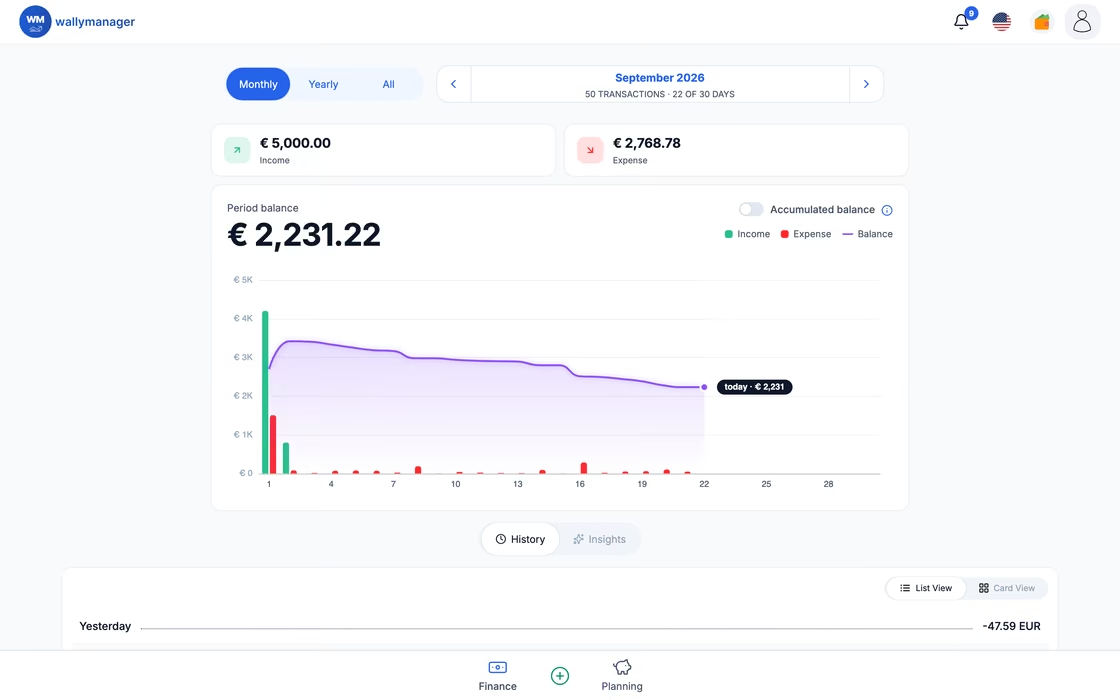
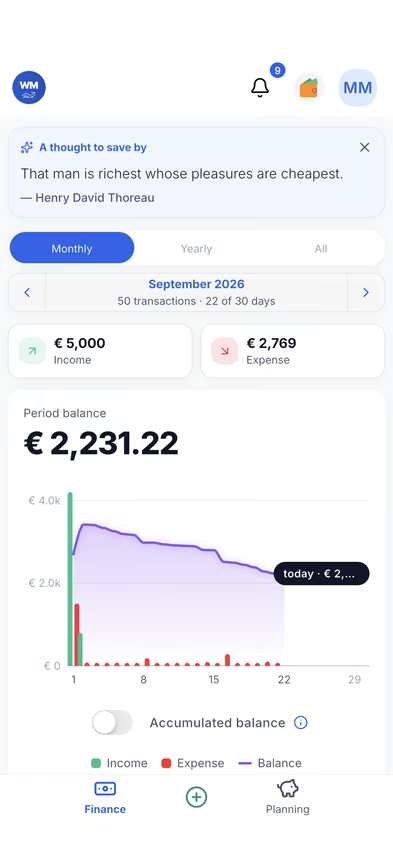
Wallymanager keeps your categories, budgets, recurring payments and savings goals
Groceries
This month
Sample budget: €337.20 of €400.00 spent, 84%.
Free covers your own day-to-day money. Premium is for sharing with a partner, running a business and planning further ahead.
Money disappears and you only find out at the end of the month.
Log income and expenses by category and see them month by month. Free includes up to 4 budgets and 4 recurring payments. Premium adds savings goals, receipt scanning, AI summaries (only with your consent) and the What-If budget simulator.
Example
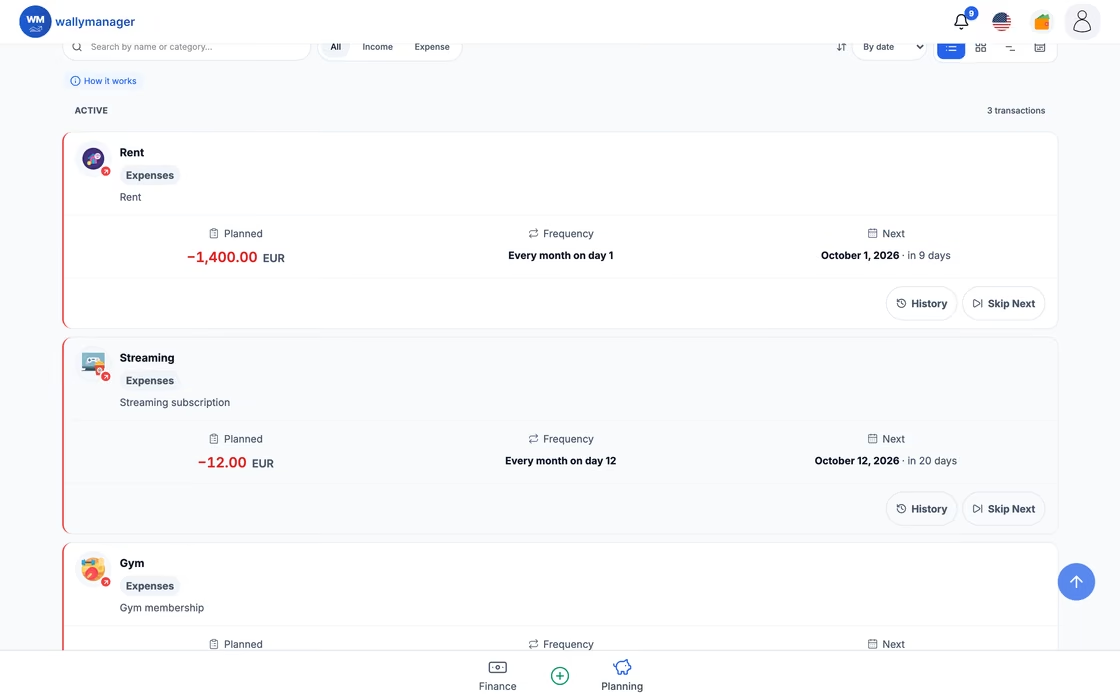
Maria logs her rent and subscriptions once. They post on schedule, and each month she sees where the rest went.
Who paid for what? Shared money ends up in chats and screenshots.
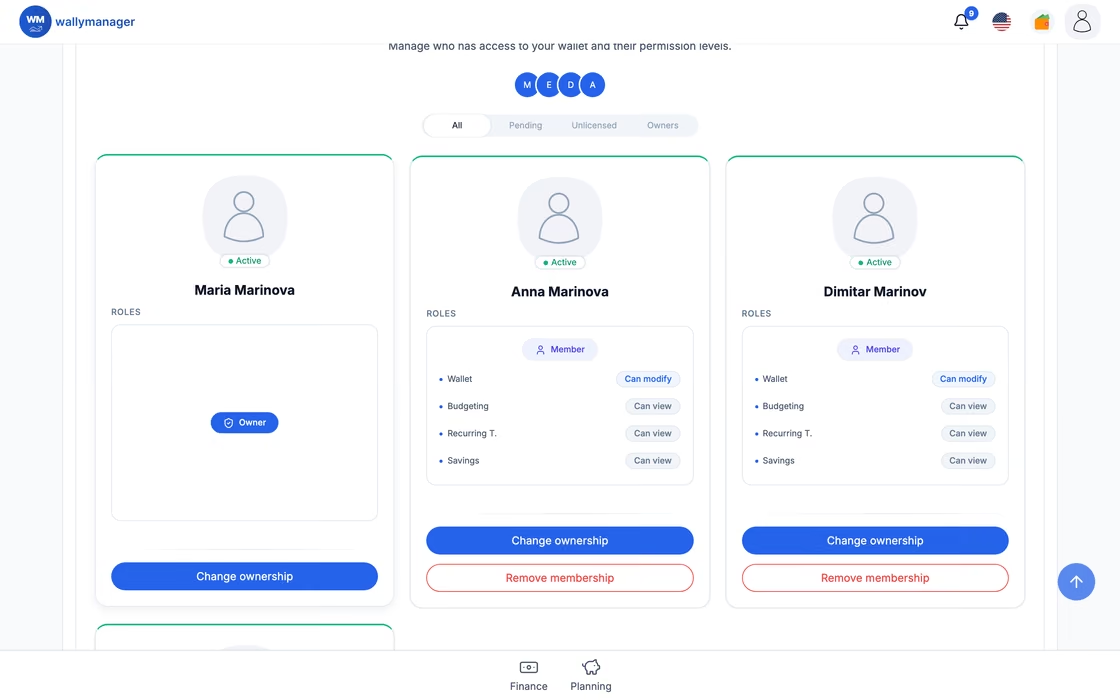
Open a shared wallet and invite your partner with a link — you approve who joins. For each area, you choose whether a member can only view it or also change it, and the contribution chart shows who covered what. Turn off full access and members see only their own money, without the wallet balance, budget limits or savings amounts.
Example
Ivan and Elena open a "Home" wallet. Both add shopping and bills, and the contribution chart shows who covered what.
Personal and business money get mixed, and tax season is a scramble.
Keep business and personal money separate in a business wallet: business categories, margin, P&L, cash runway, a cash-flow forecast from your recurring commitments and a Tax Reserve. At year end, download one archive for your accountant.
Example
Nikolay runs a design studio. He logs client income and costs in a business wallet and sends his accountant one yearly archive.
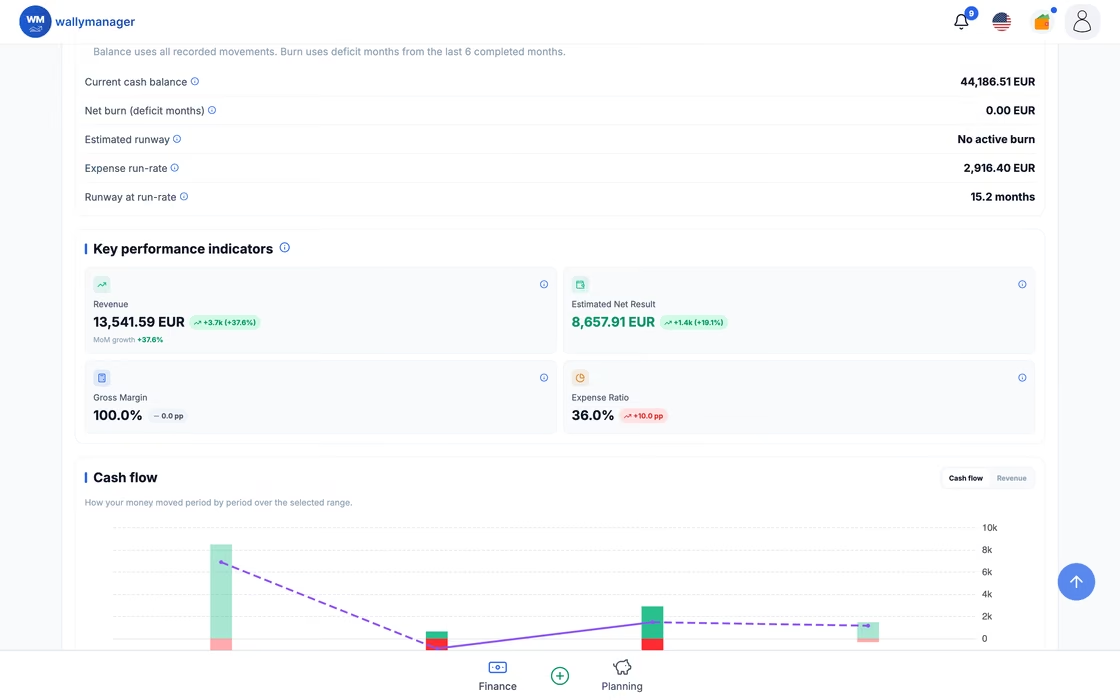
Team spending lives in a spreadsheet nobody trusts.
Open one shared business wallet for your team. You invite and remove members, and for each person and each area (transactions, budgets, recurring payments, savings) you decide whether they can only view it or also change it. Turn off full access and members see only their own money, without the wallet balance, budget limits or savings amounts. The business wallet brings business categories, P&L, a cash-flow forecast and a Tax Reserve.
Example
Daniela runs a café with a staff of four. Her manager records the purchases; the barista can see the month's movements but not change them.
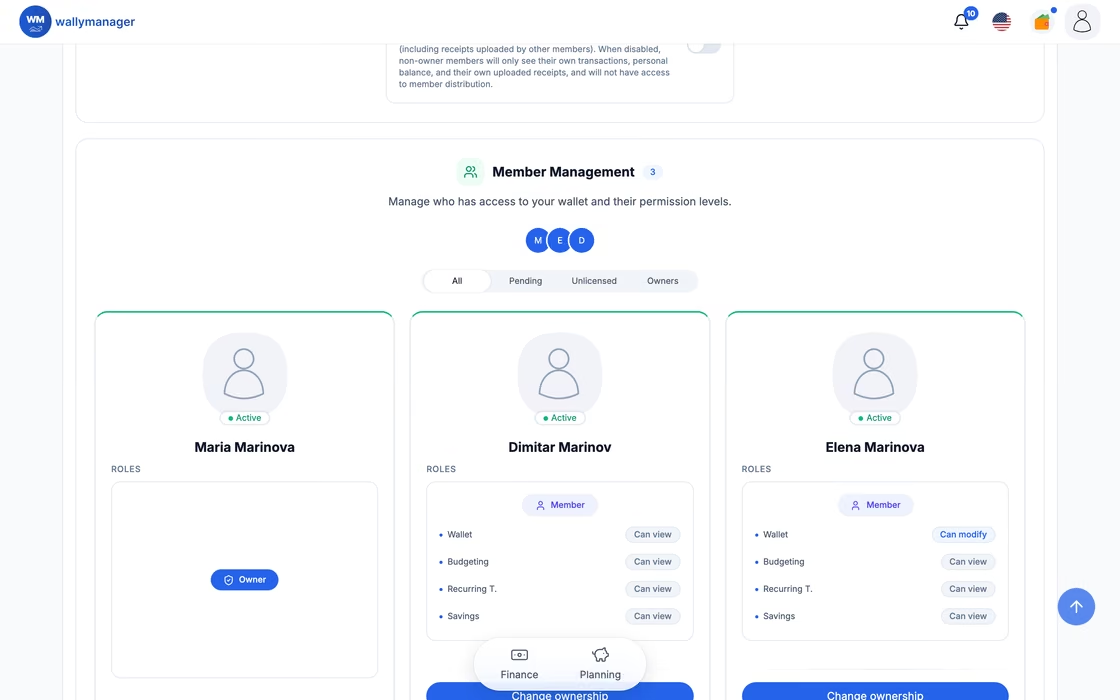
Autopilot
Recurring payments post themselves on schedule. Premium adds reminders before anything is due.
Sample data
Insight
Spending by category, month and year, free. Premium adds heatmaps and waterfall analysis.
Sample data
Growth
Budgets by category with live progress, so every month ends better than the last.
Sample data
Together
Invite your people, choose what each of them can view or change, and see who covered what.
Each person needs their own Premium.
Sample data
Scan
AI reads the receipt and drafts the transaction — merchant, amount, category — for you to confirm.
Sample data
Business
For freelancers: a business wallet keeps work money separate from personal — with revenue, costs and margin at a glance.
Sample data
Compared with a spreadsheet, your bank's app or another budget app.
Some banks now sort the movements of their own account into simple categories. But your money moves through much more than one account: a second bank, a credit card, a payment app or e-wallet you use for online shopping, food vouchers, cash in your wallet, rent from a flat you let out. No single bank app can see all of that.
Wallymanager brings these parallel streams together, because together they are your finances. With the whole picture in one place you can plan, analyse and save.
Where your money moves
Example: one month

Wallymanager
One picture from every source
What you do with it
Each person needs their own Premium.
Free is a complete tracker. Premium is for sharing, more wallets, business, AI and goals.
Four steps from sign-up to a clear picture of your money.
The short version. The Privacy Policy has the full one.
Everything between your device and our servers travels over an encrypted connection.
AI features use your financial data only after you give explicit consent. You can withdraw it at any time in Privacy & Consent. When you agree, the relevant data is sent to an external AI provider.
We use a small number of providers for hosting, payments, email, sign-in, monitoring, analytics and AI. The Privacy Policy names each of them.
Export any period of up to three years as CSV, PDF or XLSX, on the Free plan too. If Premium ends, your wallets and transactions are kept.
Find answers to the most common questions about Wallymanager.
Yes. Free gives you one personal wallet, income and expenses by category, monthly and yearly charts, up to four budgets, up to four recurring payments and export. No card is needed.
Yes. Shared wallets are a Premium feature, and each person in the wallet needs their own Premium. The owner shares an invite link and approves every request to join.
Only after your explicit consent. AI summaries, budget and savings advice and receipt scanning are Premium features, and none of them uses your data until you agree to AI processing. You can withdraw consent at any time in Privacy & Consent. When you agree, the relevant data is sent to an external AI provider.
Yes. On any plan you can export any period of up to three years as CSV, PDF or XLSX. You can also delete your account in the settings.
No. Wallymanager does not connect to banks. You type in your income and expenses, import them from another app, or scan receipts with Premium.
You move to the Free plan. Your wallets and transactions are kept, Premium features switch off, and wallets, budgets and recurring payments above the Free limits are paused until you upgrade again. If you never paid for Premium — for example, you only used a free trial — your saved receipts and custom category images are deleted 30 days after Premium ends.
Yes, for keeping track of it. A business wallet (Premium) keeps business money apart from personal money, with business categories, margin, P&L, cash runway, a cash-flow forecast and a Tax Reserve, plus a yearly archive for your accountant. It is not an invoicing or tax-filing tool.
Wallymanager is available in 10 languages: English, Bulgarian, German, French, Spanish, Greek, Russian, Arabic, Hindi and Chinese. Use it on the web and in the iOS and Android apps.
Free to start, no card needed. Add Premium when you share a wallet or run a business.
Questions or feedback? Email us at office@wallymanager.com